Bingo · How to host and play
Bingo guide: join, mark numbers and claim a line
Hosts should wait for everyone to join before starting. Players follow the shared draw while checking their own boards.
See the game screens
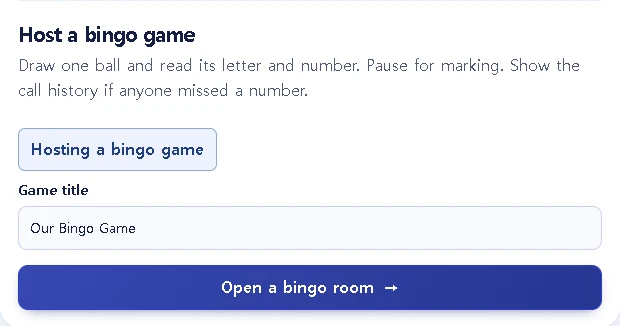
Room setupView full-size screenshot
- Enter the name players will see.
- Create the room to share its code and start drawing numbers.
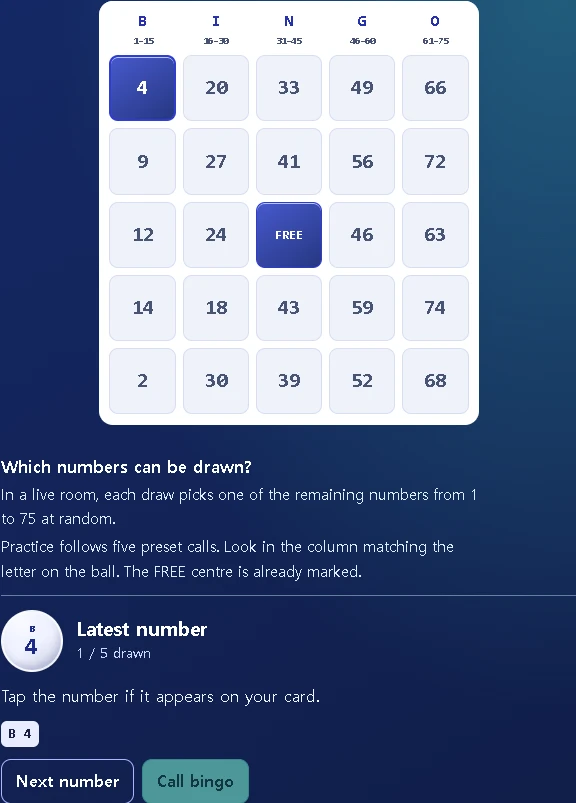
Practice screenView full-size screenshot
- Find the drawn number on your card and mark it.
- Check the latest number and how many numbers have been drawn.
1. Create a room and invite the group
Use the solo practice first if the controls are new to you.
- Choose a title and keep the host access information.
- Share the player code, link or QR code.
- Open a shared display if the group needs to see the draw together.
2. Receive your board before the game starts
Enter a name to join the lobby. At least one player must join before the host can start. New players enter during the lobby, so check that everyone invited is ready.
3. Find the drawn numbers on your board
Check the latest number and draw history. Tap matching numbers on your board to mark them. The centre FREE square already counts towards a completed line.
4. Claim Bingo when a line is complete
Check for a horizontal, vertical or diagonal line, then press the Bingo button. The claim is checked against your assigned board and the actual drawn numbers, not just the marks you have tapped. Wait for the confirmed winner display.
5. Distinguish finishing, cancelling and saving
A host can finish a game without a winner. If something goes wrong, explain the issue, record a cancellation reason and prepare another game. After the end, check the host’s save status and reopen the saved result when needed.
Practise a diagonal through the FREE square
On the home practice board, follow B4, I27, G50, G59 and O68. One of these numbers does not belong to the target diagonal.
- Mark 4 in the upper left and then 27 one row down and one column right. The centre FREE square is already marked.
- Drawing 50 adds nothing to this diagonal. Mark 59 and 68 to complete 4–27–FREE–59–68.
- Call bingo after marking the final square. Live players have individual cards, so these same calls do not give everyone this line.
Read next
Ready to play together?
Hosts can create a game. Invited players can enter their code on the game home page.
Go to game home